
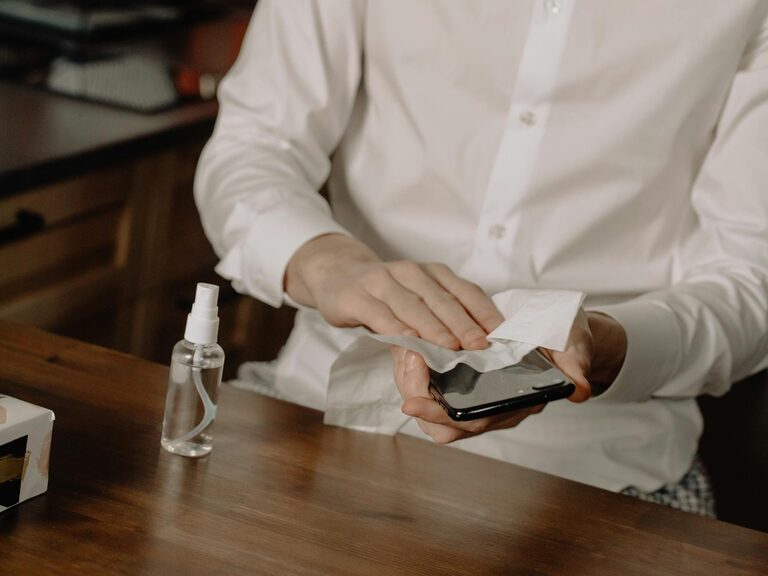
Keeping your phone and keyboard clean is essential not only for maintaining their appearance but also for hygiene and device longevity. These everyday devices accumulate dust, oils, and germs, so regular cleaning helps ensure a better user experience and reduces the risk of spreading bacteria. This guide will walk you through safe and effective ways to clean your phone and keyboard without causing damage.
—
Why Clean Your Phone and Keyboard?
Our phones and keyboards are among the most frequently touched gadgets. This constant contact means they harbor dirt, dust, skin oils, and microbes. Cleaning these devices regularly:
– Removes dust and debris that can hinder performance
– Prevents the buildup of grime and sticky residue
– Minimizes exposure to bacteria and viruses
– Keeps your gadgets looking new and functioning well
Cleaning your devices safely ensures you don’t accidentally damage sensitive surfaces, speakers, or screens.
—
General Tips Before You Start
– Power Off: Always turn off your device before cleaning to prevent accidental inputs or damage.
– Unplug: Disconnect any power cables or accessories.
– Use Soft Materials: Avoid harsh abrasives; use microfiber cloths to prevent scratches.
– Avoid Excess Moisture: Don’t spray liquids directly onto devices, and use minimal amounts on cloths.
– Be Gentle: Press lightly and avoid excessive force.
—
How to Clean Your Phone Safely
What You’ll Need
– Microfiber cloth
– Isopropyl alcohol (70% or less) or screen-safe disinfectant wipes
– Cotton swabs
– Distilled water (optional)
– Small soft brush (optional)
Step-by-Step Cleaning Process
- **Power off and unplug your phone.**
- **Remove phone case** if you use one and clean it separately (soap and water work well).
- **Wipe the screen and body:** Lightly dampen a microfiber cloth with a mixture of 50/50 distilled water and isopropyl alcohol or use pre-moistened screen-safe wipes. Gently wipe the screen and phone surfaces without soaking.
- **Clean crevices:** Use a dry cotton swab or a small soft brush to clean around buttons, speaker grills, and charging ports. Avoid using liquid inside ports.
- **Dry the device:** Wipe any remaining dampness with a dry microfiber cloth.
- **Replace the case** after both the phone and case are fully dry.
What to Avoid
– Avoid bleach or household window cleaners. These can strip coatings and damage screens.
– Don’t immerse your phone in water or any liquid unless it’s certified waterproof and followed by manufacturer guidelines.
– Avoid excessive moisture near charging ports or speakers.
—
How to Clean Your Keyboard Safely
What You’ll Need
– Compressed air canister
– Microfiber cloth
– Isopropyl alcohol (70%)
– Cotton swabs or soft brush
– Small bowl with mild soap and water (for keycaps if removable)
Step-by-Step Cleaning Process
- **Turn off and unplug your keyboard** or remove batteries if wireless.
- **Remove loose debris:**
– Hold the keyboard upside down and gently shake or tap to dislodge crumbs and dust.
– Use compressed air to blow out particles between keys. Hold the can upright to avoid moisture spraying.
- **Clean the key surfaces:** Lightly dampen a microfiber cloth with isopropyl alcohol and gently wipe down all keys and keyboard surfaces.
- **Detail cleaning:** Use cotton swabs dipped in isopropyl alcohol to clean tight spaces between keys. Avoid soaking.
- **For mechanical keyboards or removable keycaps:** Take off keycaps carefully, soak them in warm soapy water, rinse, dry completely, and reattach.
- **Dry:** Allow the keyboard to dry fully before reconnecting or turning on.
What to Avoid
– Don’t use liquid cleaners directly on the keyboard.
– Avoid spilling liquids inside the keyboard.
– Don’t try to spray compressed air can at an angle or too close to keys to prevent moisture buildup.
—
Maintaining Clean Devices Daily
Keeping your phone and keyboard clean regularly can prevent heavy build-up:
– Use a microfiber cloth to wipe devices daily or every few days.
– Avoid eating directly over your keyboard or phone.
– Wash or sanitize hands before use.
– Clean your phone case weekly.
– Use keyboard covers if dust and debris are a recurring problem.
—
Final Thoughts
Cleaning your phone and keyboard does not require specialized products or complex procedures. By following simple steps with basic supplies, you can keep your devices looking fresh and working well while minimizing germs exposure. Remember to be gentle, avoid moisture where it shouldn’t go, and make cleaning a regular habit.
By maintaining these devices properly, you’ll enjoy enhanced hygiene and extend their useful life without risking damage.
—
Happy cleaning!